Aran Labs / Native app & browser app / 2026
Done Cal
A little more done.
For people whose calendar shows what they planned, but never what they finished. We designed and built Done Cal for iPhone and iPad, its Watch and widget surfaces, and a separate browser app—connecting event check-offs, Focus and a record of the day.
The film couldn’t load. The five scenes are described below; you can also try the checkmark demo.
One calendar.
Five small changes.
Allow calendar access on iPhone or iPad, choose which calendars to show, and work from the events already there. Check off a finished plan, focus on the next one, or postpone an unfinished occurrence. This website film uses one fictional day to explain the same choices.
- 01 / A familiar day
Four example events. One already done. Names and times stay in view.
- 02 / Check it off
Studio time fills with colour. Its tile checks off, and the day becomes 2/4.
- 03 / Make time
Focus counts down for Read a chapter. At zero, the event is still incomplete.
- 04 / Move a plan
Reading moves to tomorrow inside Done Cal. Today becomes 2/3; tomorrow gets that one event.
- 05 / Change your mind
Undo brings reading back. Today returns to 2/4. The original calendar stays unchanged.
The native application
Your calendar holds the plan.
Done Cal holds the checkmark.
Start with the calendars on your device
EventKit provides access to calendars already connected to iPhone or iPad, after the person grants permission. Selected calendars supply the day’s events; changes to the device calendar trigger a refresh. Completion records live separately, keyed to an individual occurrence.
A recurring event can be done today and unfinished next week. Done Cal stores that distinction without adding checkmarks to event titles or changing every occurrence in a series.
A deliberate boundary
Postpone here.
Keep the shared plan intact.
Postponement moves one occurrence to a later day inside Done Cal. It counts once on the new day, can be undone, and leaves the connected calendar and recurring series unchanged. Normal calendar editing is a separate action.
- Device calendarsEventKit permission → selected events
- Done Cal recordsOccurrence identity → completion & postponement
- Local cache + CloudKitImmediate updates · pending sync · conflict ordering
- Glanceable surfacesShared snapshots → widgets · Watch · Focus activity
Completion updates appear immediately and persist locally before cloud work finishes. Private CloudKit records carry completion and deferral state; deterministic ordering reconciles updates. App Group snapshots and a command queue give widgets and the Watch a common view, while WatchConnectivity carries changes between the phone and watch.
One checkmark.
Visible progress.
Tap either checkbox, then tap again to undo. The event, its matching tile and the count change together. Two events, two tiles: each mark means something you actually did.
Monday, 7 September / Sample events
Check an event. Tap the same checkbox to undo.
Your day, in two tiles
0/2 complete
The colour keeps each event recognizable.
The checkmark makes completion explicit.
Interactive close-up adapted from the website. Fictional events; nothing is saved.
Focus / Native interface study
Make time.
Leave room.
The native Focus screen gives the event and remaining time room to breathe. A fine elapsed ring starts at twelve o’clock and grows clockwise, lightening toward its advancing edge.
- Elapsed time is visible without a busy display.
- The timer reaching zero opens a decision. It never checks off the event for you.
- Completing, taking a break and finishing without completion are explicit choices.
Illustrative web adaptation of the current SwiftUI design, with fictional content. The six-second preview compresses the last 7½ minutes of a 25-minute session.
 Focus study
Focus
Read a chapter
You made time.
Read a chapter is not complete.
The browser implementation
A day you can return to.
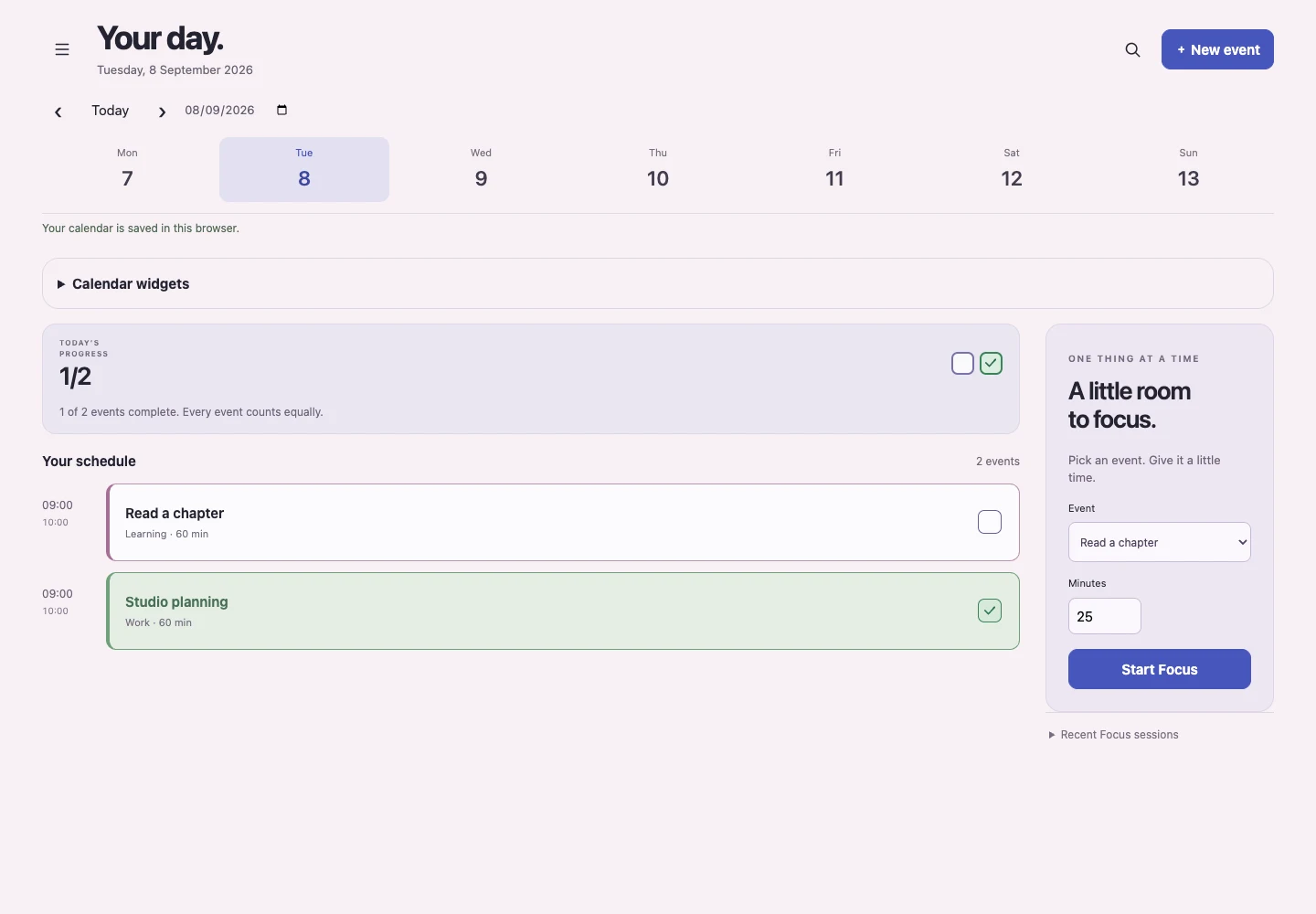
The browser app is an application in its own right. Create events, check them off, search, postpone, run Focus and export a backup. Guest records persist in IndexedDB; optional accounts save encrypted records on the server.
Read from existing providers
Google Calendar and Microsoft calendar connectors implement sign-in, calendar selection, refresh and disconnect. They request read access: source-event edits belong in the provider. Failed refreshes retain the last successful events; file imports are snapshots.
Keep the two products explicit
The browser account store does not sync with native CloudKit records. Native purchases use StoreKit, with purchase verification, restoration and entitlement handling. Browser accounts do not imply a native purchase or a shared calendar store.
A record of your days
A mark with
a memory.
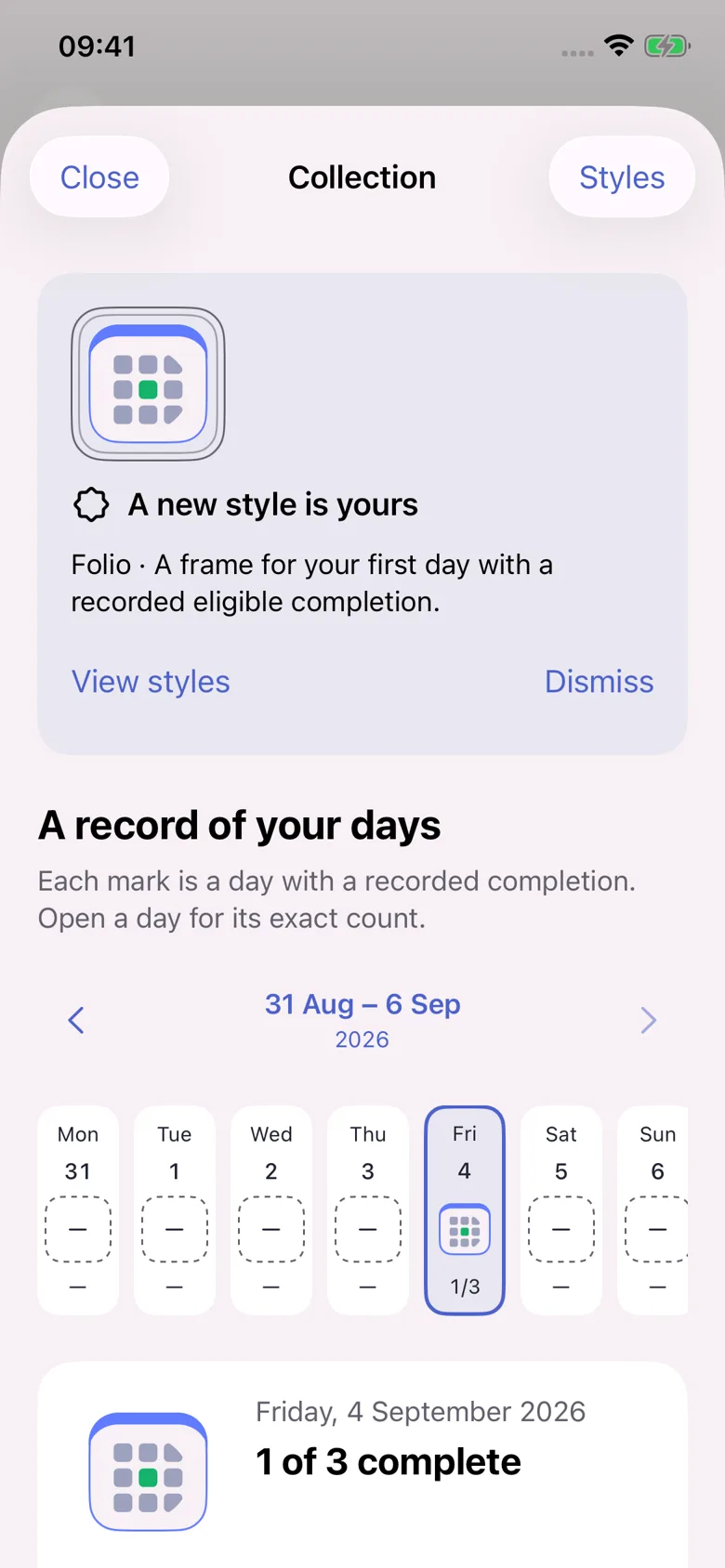
The collection pairs a dated mark with an exact count. Earned styles remain available after undo, and days without a record stay unknown.
It gives progress a place to live without turning every empty day into a failure.
Built across the day.
The product spans iPhone and iPad apps, iOS widgets, a Focus Live Activity, a Watch app and Watch widgets. Focus keeps timing separate from completion: reaching zero asks what happened, and only an explicit choice marks an event done.
The browser app is a separate implementation; Google and Microsoft connections use configured provider integrations. Android and a standalone desktop app are not implemented in this source. The website film and interactive close-ups use sample data.